
Preview Restrictor
By default, all authenticated users in Terminalfour can preview any page within the system.
You may want to limit preview access for certain pages, such as:
- Intranet or "Portal" content
- Pages that require authentication to view when published
The Preview Restrictor Feature
The Preview Restrictor allows you to limit page preview access to users with Edit Rights for specific sections.
As well as restricting preview, it will also restrict access to Direct Edit and the Accessibility Report.
Enabling Preview Restrictor
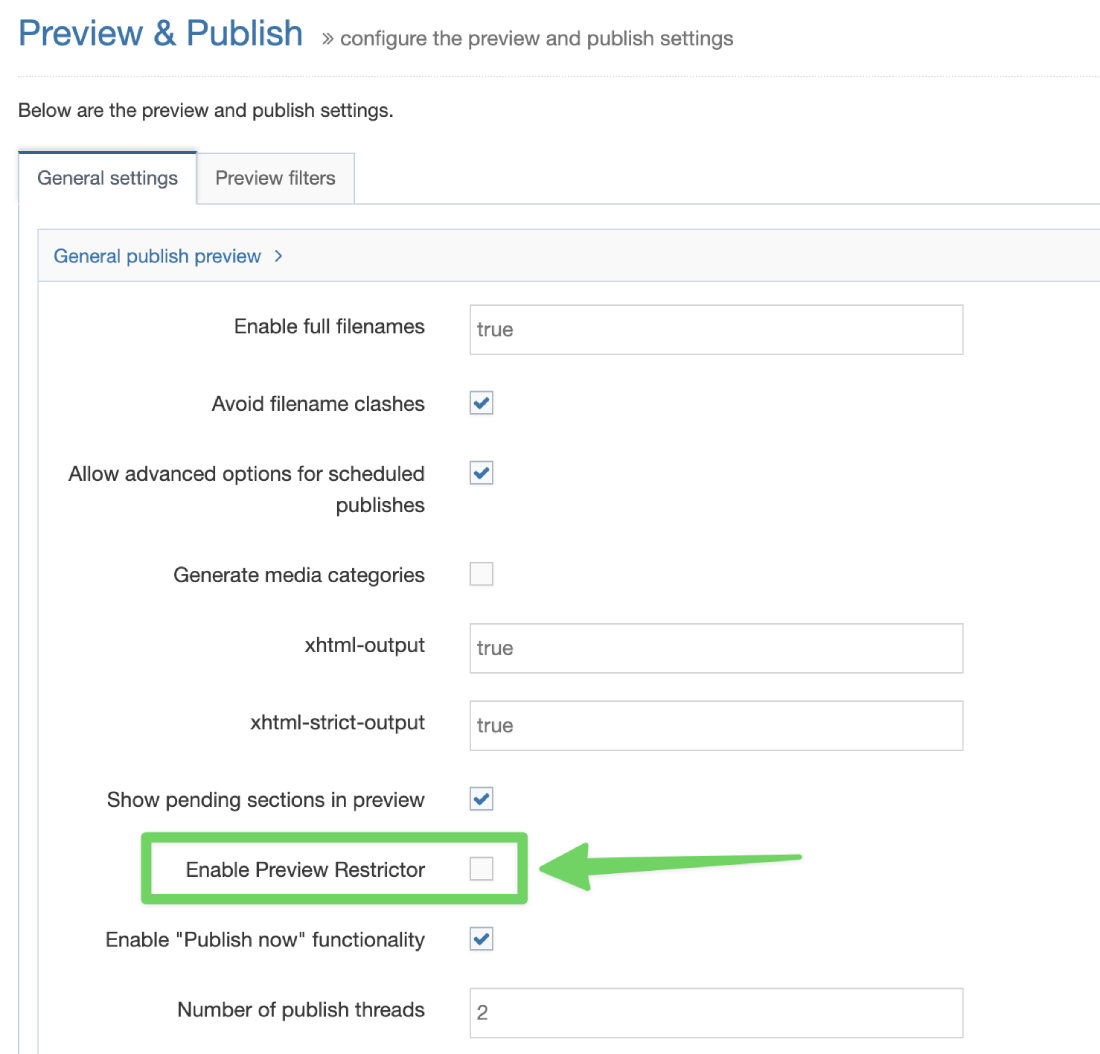
Navigate to Administration > Settings > Preview & Publish
Check the "Enable Preview Restrictor" checkbox
How It Works
When enabled:
- If a section has "Access Control" enabled, only users with Edit Rights to that section can preview it.
- Other users will not have preview access to these restricted sections.
Additional Restriction Option
To apply preview restriction to all sections, regardless of their "Access Control" status:
- Enable Preview Restrictor (as described above)
- Check the "Restrict preview for all sections" button
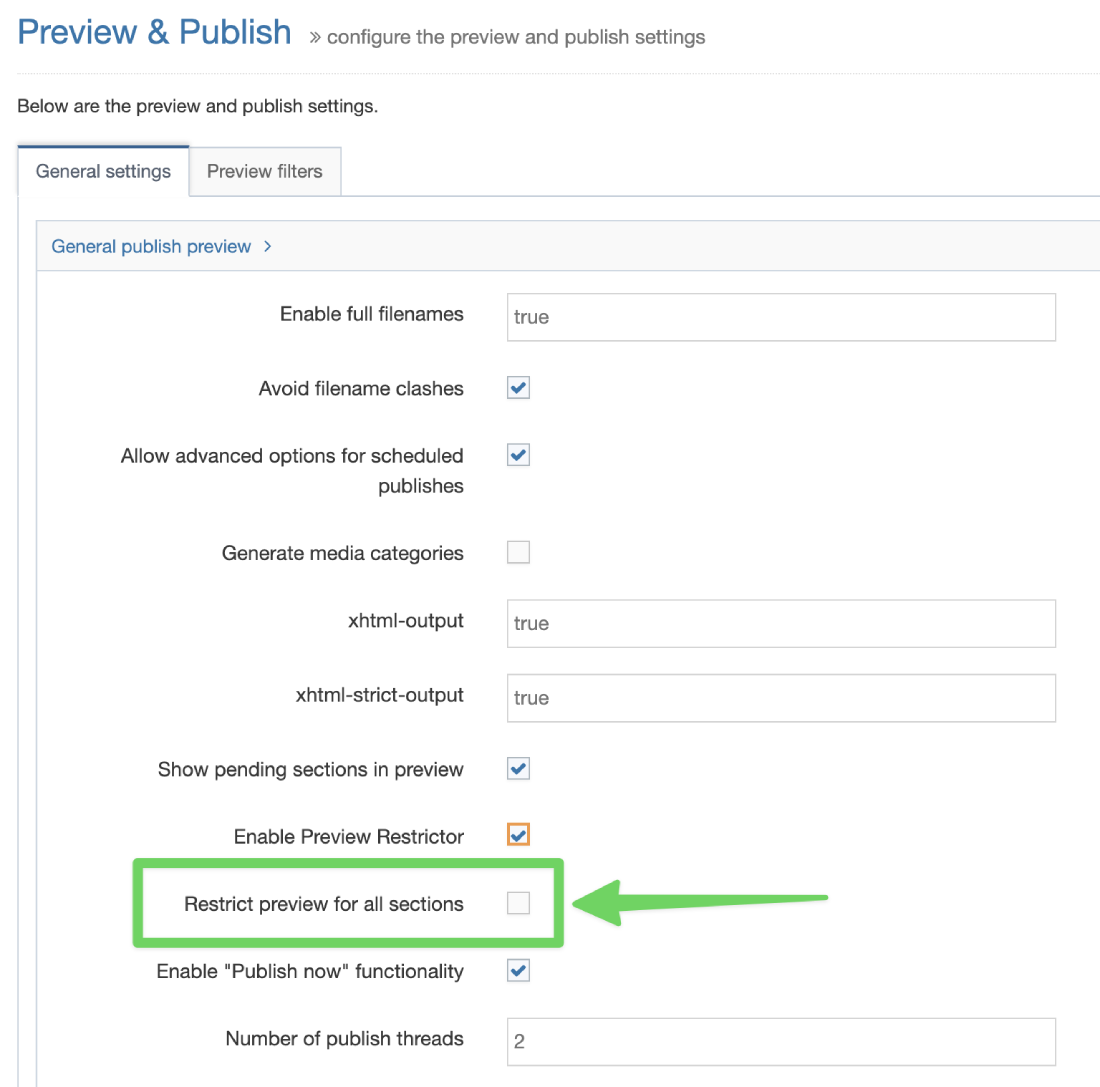
This setting ensures that only users with Edit Rights can preview any section, providing maximum preview security.