
Terminalfour logo
  • Documentation
  • Articles
  • Release Notes
  • Training
Knowledge Base
  • Home
  • Documentation
  • Administration
  • Header & footer menus
  • Bookmarks

Bookmarks

Last Modified:
05 Feb 2019
User Level:
Contributor

Description

Header Menu Bookmark icon

When you click on the Bookmark icon on the top right of the page, Sections and screens you have previously bookmarked are displayed.
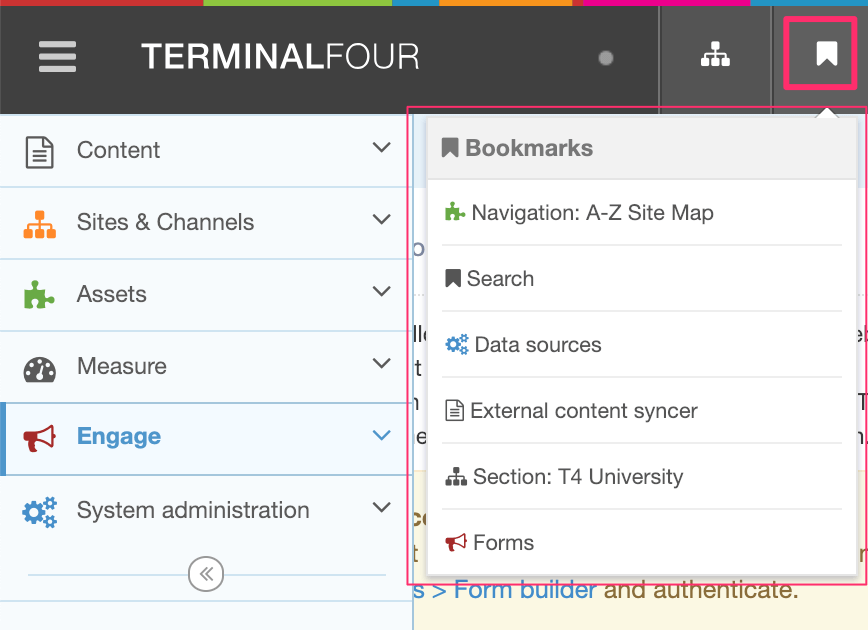
Screenshot showing the Bookmark listing in the Header Menu

Here, you can see that the Bookmark icons match the icons in their menu category, i.e. the "Forms" icons matches the "Engage" menu item icon.

Each Bookmark links to that screen or Section. 

Learn more about Bookmarks here.

In this section
  • General
  • User rights & roles
    • User Management
    • Group Management
    • Authentication Services
    • LDAP Settings
    • Mail Users
    • Workflow
    • Role Customization
      • Configuration of Rights
      • Matrix of user rights and roles
    • Community access
    • Users and Workflow Configuration
  • System reports
    • System Performance
    • Error Reports
    • Audit trail
    • Publish Reports
  • Analytics
  • File extensions
  • Task Scheduler
  • Performance & Logging
  • Asset usage
  • Download Management Settings
  • Clustering
  • CMS Search Settings
  • Languages
  • Licensing
  • Cache Management
  • Header & footer menus
    • Profile
    • Access the Terminalfour Community
    • Bookmarks
    • Language Options
    • Welcome
  • About
  • Advanced Configuration
  • Keystore
TERMINALFOUR logo
  • About Terminalfour
  • Privacy Policy
  • Edit this page

© Terminalfour 2016-2026 All rights reserved.